 ModAPI Hub
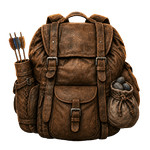
Bigger Bags
 krelk
krelk
Subscribe to this mod
Like
Carry more. Explore longer. Make fewer trips back to camp.
Bigger Bags lets you customize how many items your character can carry in The Forest. Increase the default inventory limits, restrict specific items until the appropriate bag is obtained, and grant additional capacity through equipment such as the Rock Bag, Small Rock Bag, and Quiver.
✓ Supports Single Player and Multiplayer
✓ Fully configurable item limits
✓ Bag-based capacity bonuses
✓ Safe handling of invalid settings
✓ Tested default configuration included
CONFIGURATION
All options can be found inside BiggerBags.settings and are divided into three simple sections:
[BASE]
Controls the base carrying limit for each supported item.
- Use 0 for unlimited capacity.
- Use -1 to prevent the item from being picked up.
- Use any positive number to set a custom limit.
Perishable items—including meat, fish, lizards, and spoiled food—are intentionally left unchanged to prevent inventory and decay-related issues.
[WITHOUTBAG]
Controls how many related items the player can carry before obtaining the corresponding bag.
This allows bags to remain useful even when the general inventory capacity has been increased.
[WITHBAGS]
Defines the additional capacity granted when the player owns the appropriate bag.
Bonus values must be 0 or higher. Invalid values are ignored and recorded in the log as warnings instead of being applied.
Bigger Bags includes a carefully tested default configuration that expands the inventory while preserving bag progression and avoiding known issues with perishable items. Every limit can be adjusted to suit your preferred balance and playstyle.
Bigger Bags lets you customize how many items your character can carry in The Forest. Increase the default inventory limits, restrict specific items until the appropriate bag is obtained, and grant additional capacity through equipment such as the Rock Bag, Small Rock Bag, and Quiver.
✓ Supports Single Player and Multiplayer
✓ Fully configurable item limits
✓ Bag-based capacity bonuses
✓ Safe handling of invalid settings
✓ Tested default configuration included
CONFIGURATION
All options can be found inside BiggerBags.settings and are divided into three simple sections:
[BASE]
Controls the base carrying limit for each supported item.
- Use 0 for unlimited capacity.
- Use -1 to prevent the item from being picked up.
- Use any positive number to set a custom limit.
Perishable items—including meat, fish, lizards, and spoiled food—are intentionally left unchanged to prevent inventory and decay-related issues.
[WITHOUTBAG]
Controls how many related items the player can carry before obtaining the corresponding bag.
This allows bags to remain useful even when the general inventory capacity has been increased.
[WITHBAGS]
Defines the additional capacity granted when the player owns the appropriate bag.
Bonus values must be 0 or higher. Invalid values are ignored and recorded in the log as warnings instead of being applied.
Bigger Bags includes a carefully tested default configuration that expands the inventory while preserving bag progression and avoiding known issues with perishable items. Every limit can be adjusted to suit your preferred balance and playstyle.
| File | BiggerBags-1.0.0.4-55ccf463ac5b4630cabe649a8f35a403.mod |
| Compatible | 1.11b |
| Version | 1.0.0.4 |
videogame_asset
The Forest
label
Items